An all-in-one creative studio in your browser
Design, video, animation and 3D. In one app.
Posters and posts, video edits, animated visuals and your client’s logo in 3D. All in one place, with an AI assistant and a shared library for the whole team. Nothing to install.
No credit card · cancel anytime
01 · Made for
Creative agencies
Client campaigns from poster to video in one place.
02 · Made for
Marketing teams
Posts, banners and videos in your brand colours and fonts.
03 · Made for
Creators & freelancers
Design, editing and animation without paying for five apps.
04 · Made for
Events & production
Event visuals, aftermovies and content for screens and LED walls.
Four tools, one app
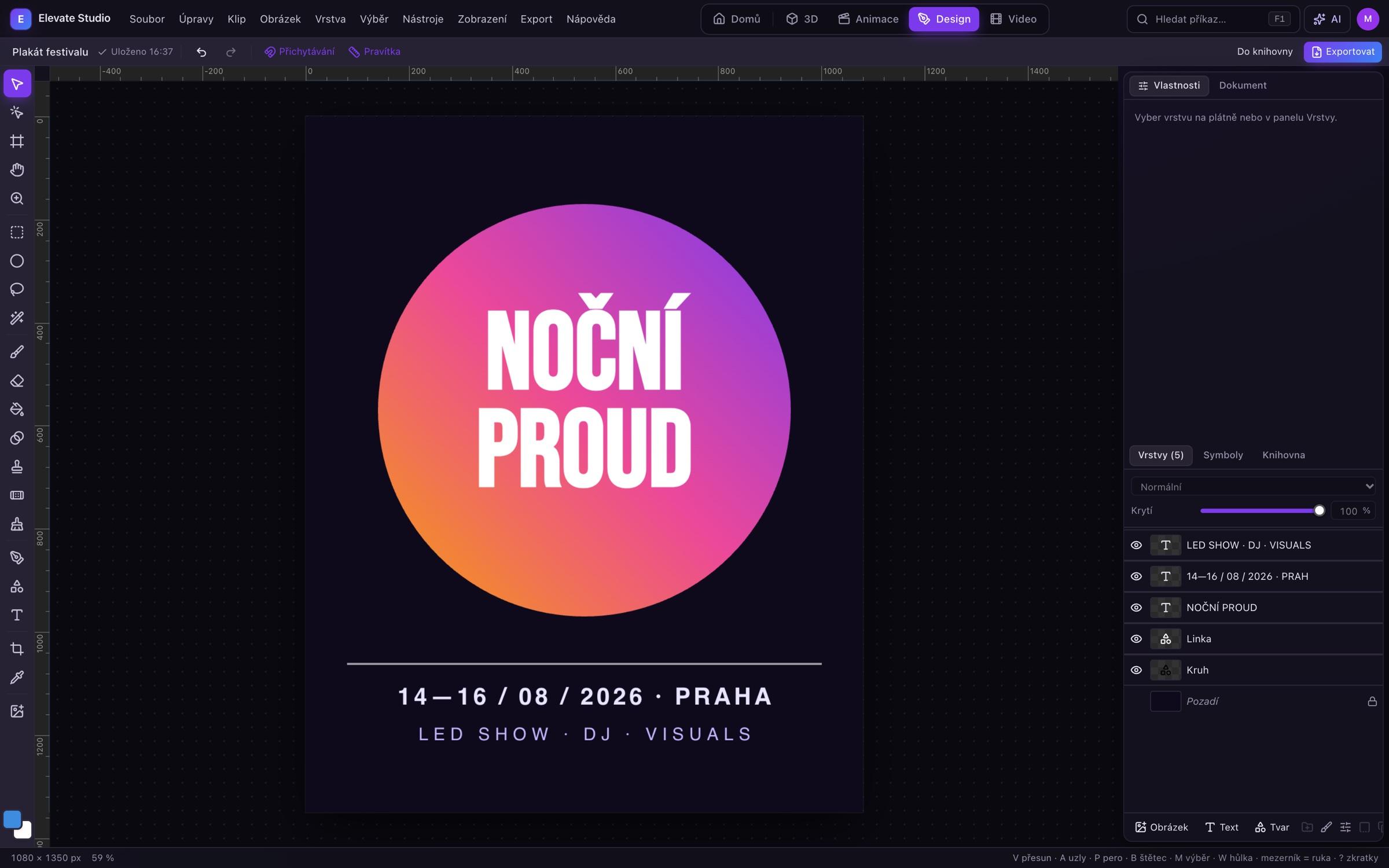
01 — Design
Graphics for social and print, without switching apps.
A graphic editor with layers, masks, text and shapes. Opens PSD and PDF files, prepares print-ready PDFs and adapts one design to every social media format.
- Layers, groups, masks, layer styles and filters like Photoshop
- Pen, shapes, text on a path, Google Fonts
- AI background removal and subject selection
- Artboards, export to PNG, JPG, PDF and PSD
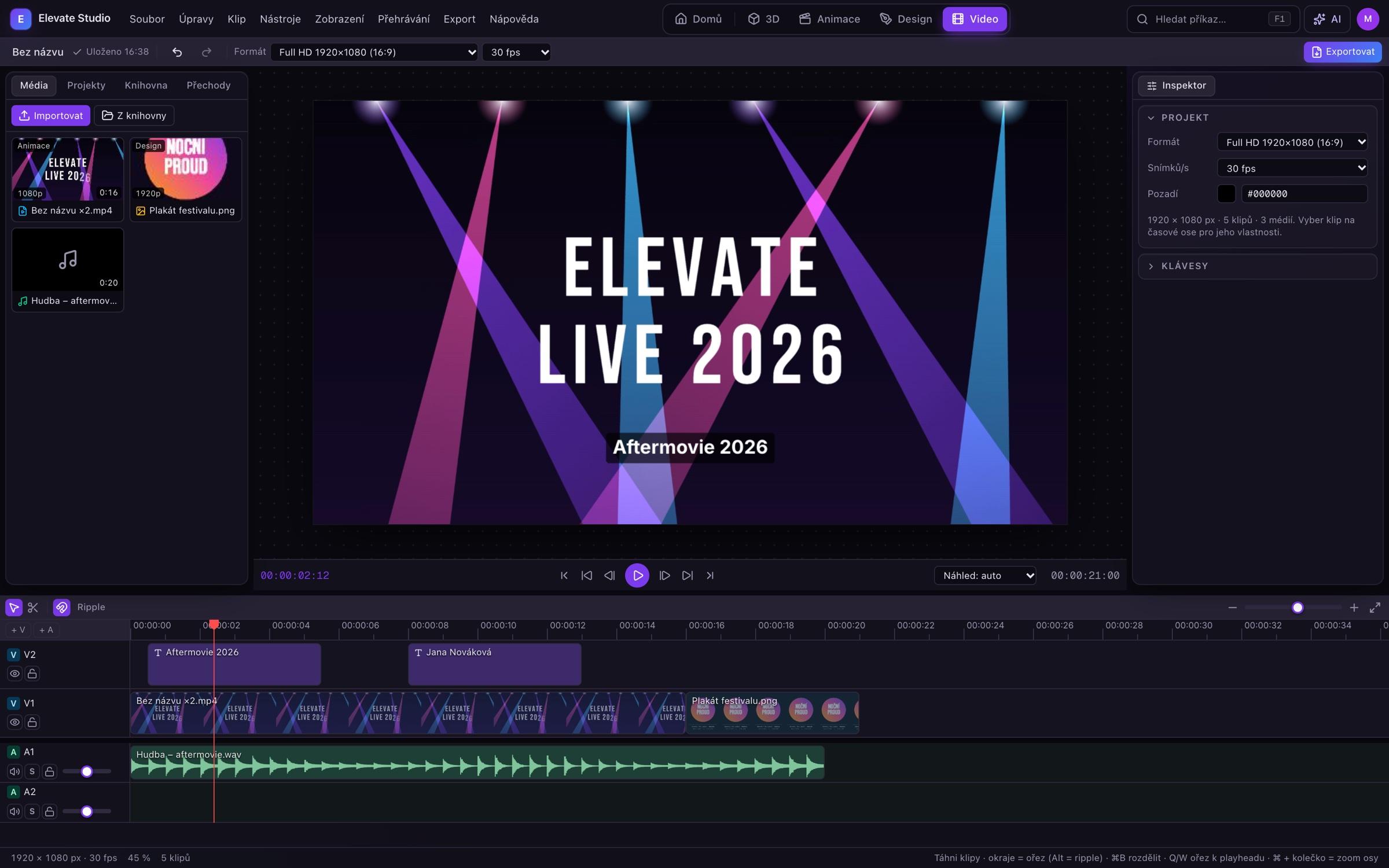
02 — Video
DaVinci-style editing, right in the browser.
Multiple tracks, transitions, titles and music. Drop in clips from Animation and Design with one drag; your camera footage stays on your disk.
- Split, ripple edits, 12 transitions, clip speed
- Colour, LUTs, green screen, masks and keyframes
- Proxies for smooth 4K preview, background export
- Frame-accurate MP4 export, no dropped frames
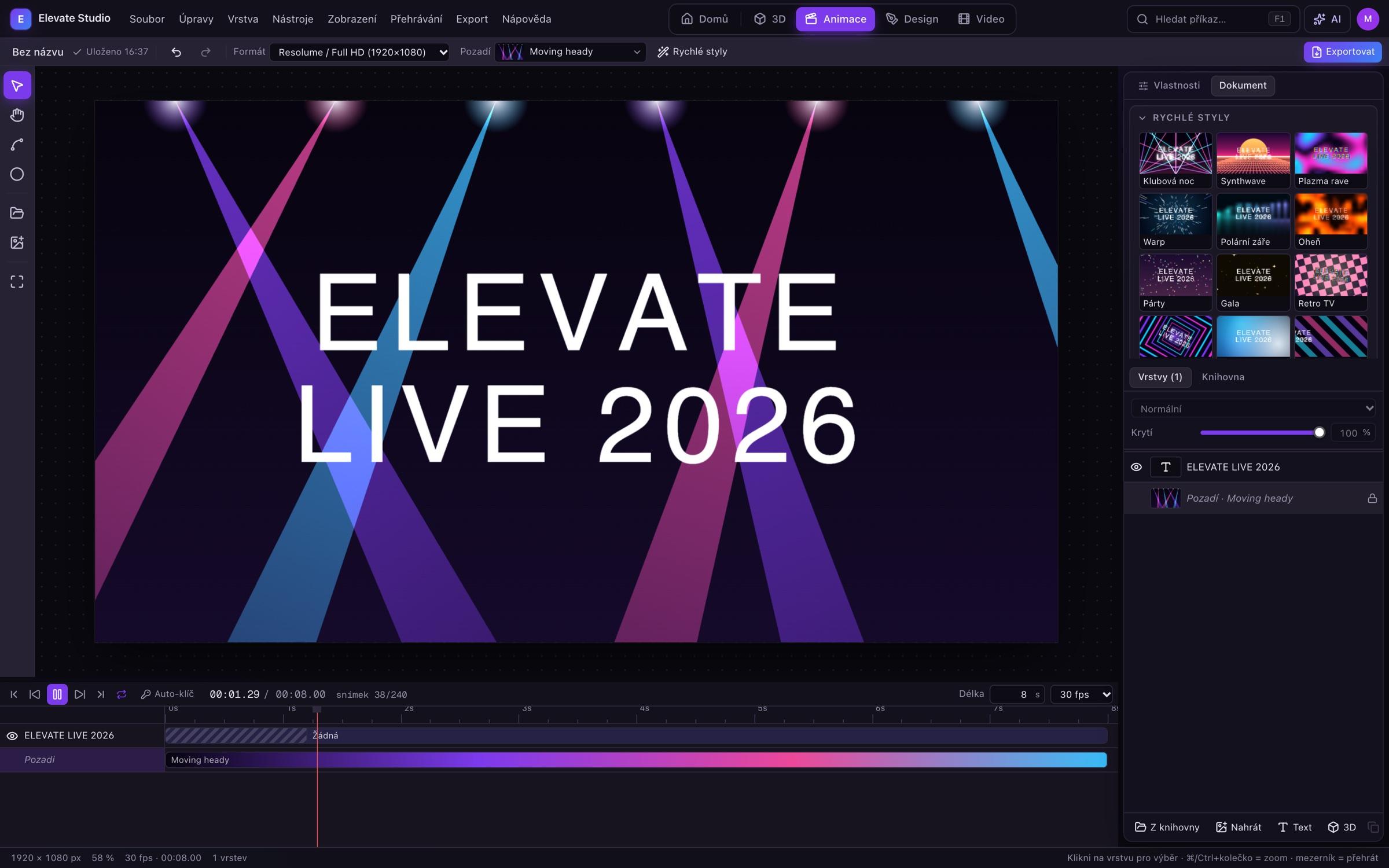
03 — Animation
Motion that grabs attention. No After Effects.
Animated posts, intros, screen backgrounds and loops. Pick the format, background and palette, drop in a logo or text and set the motion. Loops are seamless.
- 40+ animated backgrounds: lasers, moving heads, haze, particles, 3D terrain
- Motions and entrances, keyframes, motion paths drawn with the mouse
- Animation synced to the music’s BPM
- Export MP4, WebM, PNG sequences or a pack of several formats at once
04 — 3D logo
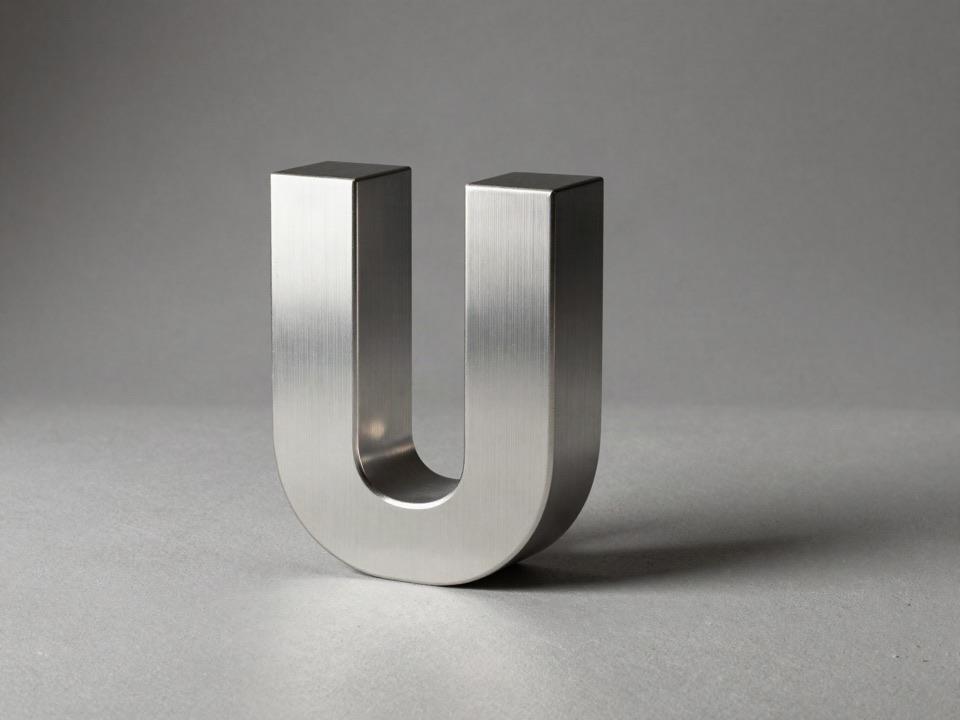
Your client’s logo, extruded into 3D.
Upload a logo as PNG or SVG. Elevate vectorises and extrudes it; set the material, light and bevel, then use it straight away in an animation, design or video.
- Automatic vectorisation from PNG and JPG
- Chrome, gold, steel, obsidian and neon materials
- Export to transparent PNG and GLB
- Full 3D logo as a layer in Animation
AI assistant
Say what you need. The assistant does the clicking.
The assistant (Claude or ChatGPT) drives every tool: adds text, changes backgrounds, prepares format variants or cuts a video to the beat. You see every change and can undo it.
Turn the poster into an Instagram story and add the date at the bottom.
Done: new 1080 × 1920 artboard, the date sits in the footer in the same typeface.
Cut the footage to the beat, a cut on every second beat.
The track is 124 BPM: 18 cuts, 0.97 s each. I also added a cross-fade at the start.
Formats
One design, every output.
Social media, web, print and big screens. Formats are ready to go, and custom sizes work in pixels or millimetres. Adapt a design to other formats in one click.
Instagram post
1080 × 1350 px
Story & Reels
1080 × 1920 px
YouTube & web
1920 × 1080 px
A4 poster
2480 × 3508 px
LED wall, custom size
1920 × 384 px
For teams
One library for the whole team.
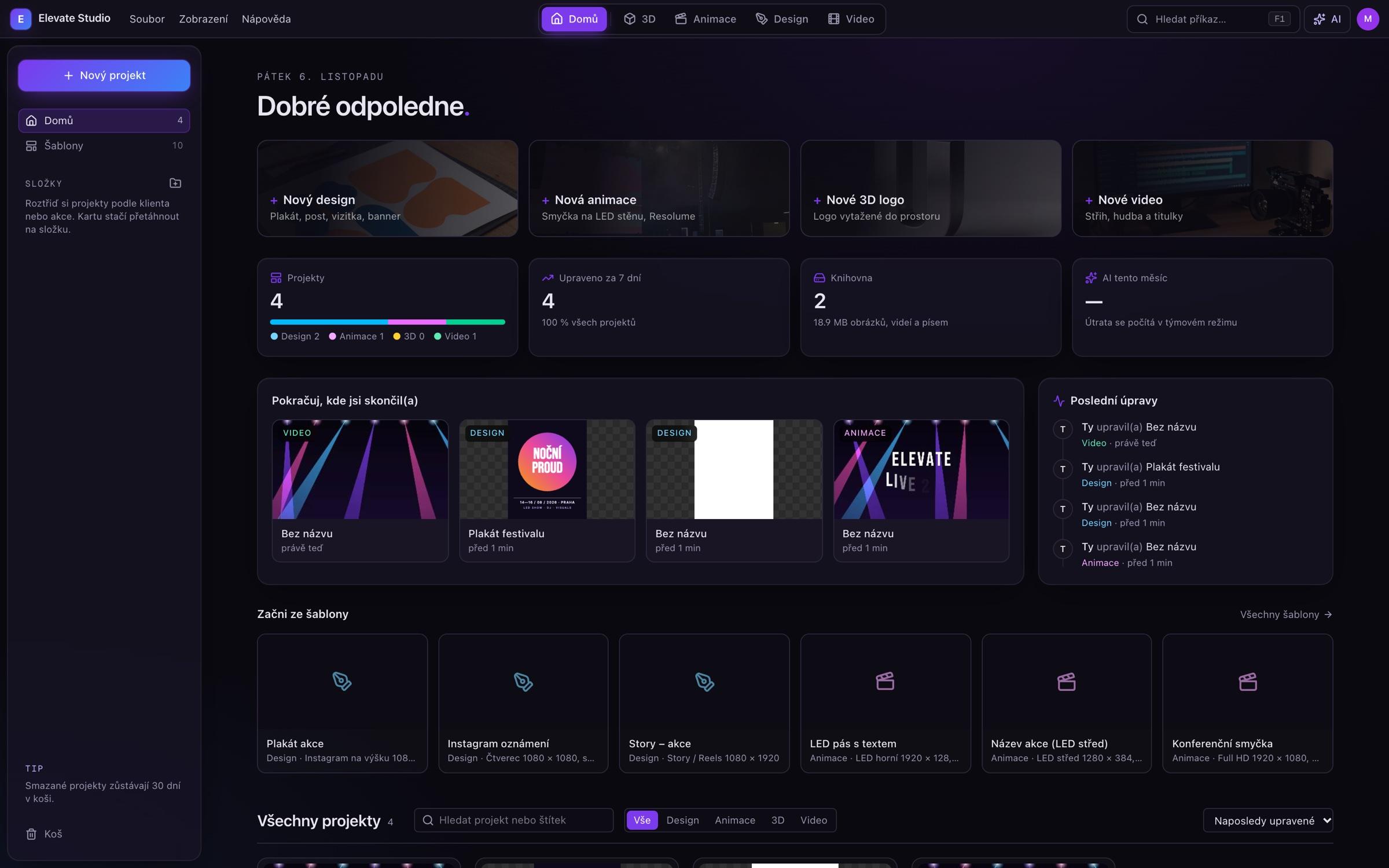
Shared projects and library
Logos, fonts, videos and finished exports at everyone’s fingertips.
Change notifications
See who edited your project, with a weekly summary every Friday.
Team management
Invites, roles, AI limits and access blocking in one click.
Nothing to install
Runs in Chrome, Edge and Safari on Mac and Windows.
Pricing
Simple pricing, no lock-in.
14 days free with everything in the Team plan. Then pick a plan, or the workspace becomes read-only. Nothing is deleted.
Free trial
14 days, no credit card.
Start for free
- All tools and the AI assistant
- Up to 3 team members
- 50 GB library
- No watermark
Pro
For a single creator.
Try Pro
- All tools
- 1 user
- 50 GB library
- AI assistant up to $5 a month
- Export up to 4K
Team
For agencies and teams of 3+.
Try Team
- Everything in Pro
- Shared projects and library
- 50 GB per user
- AI assistant up to $10 per user
- Team management and notifications
Prices exclude VAT.
Frequently asked questions
Do I need to install anything?+
No. Elevate Studio runs in the browser: best in Chrome or Edge, and it works in Safari too.
Where are my videos stored?+
Camera footage stays on your disk; the project only remembers the edit. The library (logos, images, exports) is stored in a secure cloud and shared with your team.
What happens when the trial ends?+
If you don’t pick a plan, the workspace becomes read-only. You can still open and export projects, you just can’t create new ones. Nothing is deleted.
Can I cancel anytime?+
Yes. Cancel in Settings with one click; the plan stays active until the end of the paid period.
Which formats can I export?+
Graphics to PNG, JPG, PDF and PSD; video and animation to MP4 (H.264), WebM or PNG sequences up to 4K; 3D logos to transparent PNG and GLB. Custom sizes cover screens and LED walls too.
How does the AI assistant work, and what does it cost?+
The assistant uses Claude and ChatGPT models. A monthly allowance is included in your plan, and team admins can split it between members.
All your creative work in one app.
Try Elevate Studio free for 14 days, for the whole team, no card.
Start free trial